
Cloud-Based Submission Platform
Simplifying Student Submissions with Google Apps Script
Building an automated, cloud-based submission platform for efficient file collection and management.
Overview
Managing student submissions through email or messaging platforms often leads to disorganized files, inconsistent naming, and increased administrative effort. To address these challenges, this project introduces a web-based submission system powered by Google Apps Script, providing a streamlined workflow for collecting student information and uploaded files in one centralized platform.
The application combines a responsive frontend with Google Workspace services to automate data collection, file storage, and record management without requiring a traditional backend server.
User Friendly Submission Experience
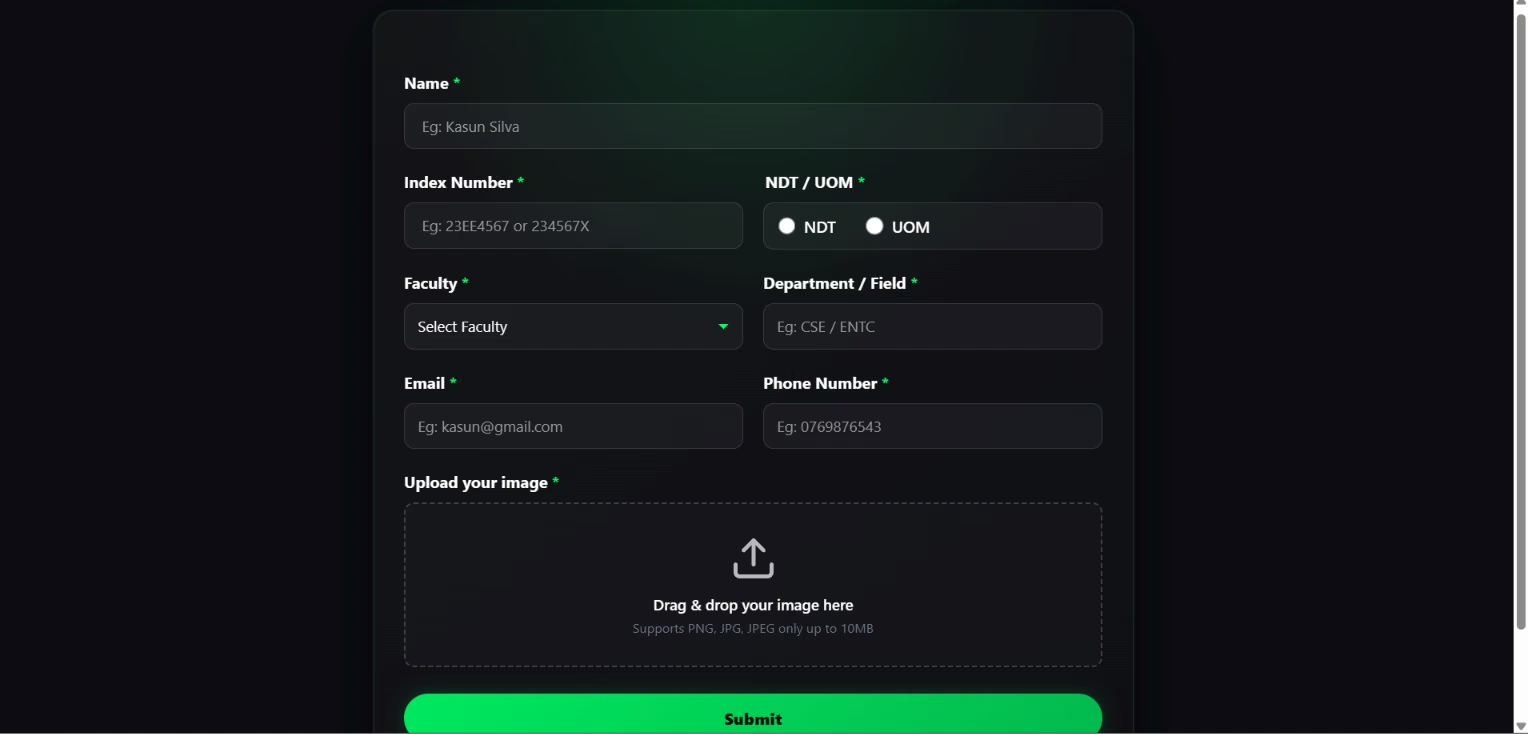
The frontend provides a clean and responsive interface where students can submit their information with minimal effort.
The form collects essential details including:
- Student Name
- Index Number
- Faculty
- Department
- Email Address
- Contact Number
- Image Upload
To improve usability, the application includes drag-and-drop file uploads, client-side validation, and clear submission feedback, creating a smooth user experience across different devices.
Google Workspace Integration
Rather than relying on a dedicated backend server, the application leverages Google Apps Script to connect seamlessly with Google Workspace services.
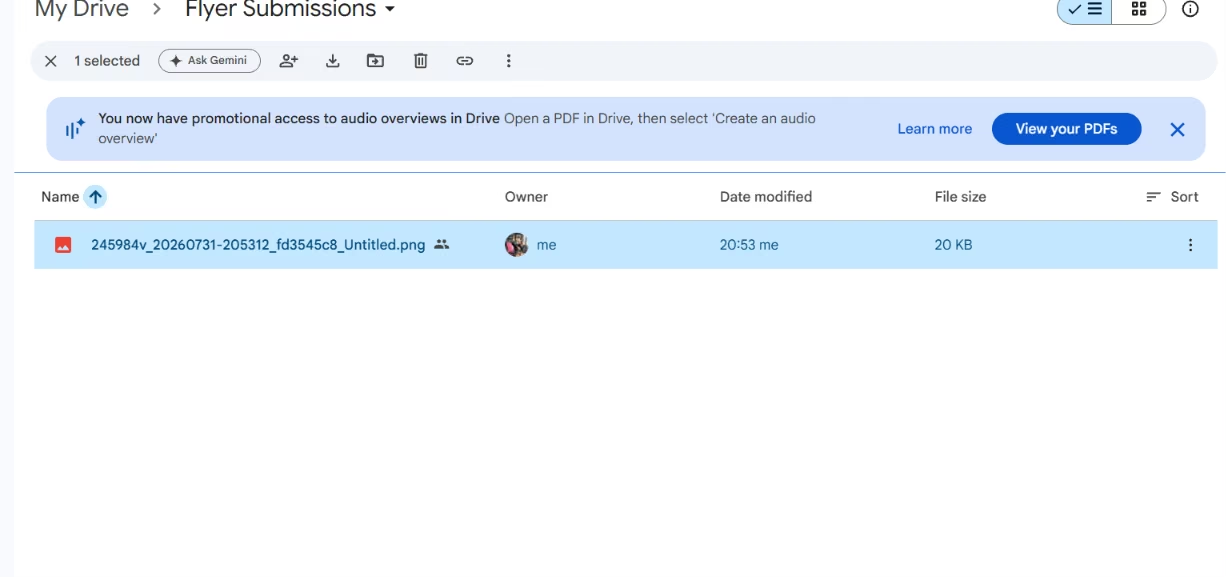
Once a submission is received, the system automatically:
- Uploads files to Google Drive
- Stores submission details in Google Sheets
- Generates shareable file links
- Maintains organized submission records
This serverless approach reduces deployment complexity while utilizing Google’s cloud infrastructure for secure data management.
Technical Implementation
The application follows a lightweight architecture using web technologies together with Google Apps Script.
Frontend
- HTML5
- CSS3
- JavaScript
Backend
- Google Apps Script
Cloud Services
- Google Sheets
- Google Drive
Key Features
- Responsive submission interface
- Drag-and-drop image upload
- Client-side input validation
- Automated Google Drive file storage
- Google Sheets data management
- Success and error notifications
- Serverless architecture
- Cloud-based workflow
Technology Stack
| Technology | Purpose |
|---|---|
| HTML5 | Form structure |
| CSS3 | Responsive user interface |
| JavaScript | Client-side validation and interactions |
| Google Apps Script | Backend logic |
| Google Sheets | Submission database |
| Google Drive | File storage |
Project Highlights
- Serverless web application architecture
- Automated submission management
- Google Workspace integration
- Responsive user interface
- Simplified administrative workflow
- Secure cloud-based data storage